
New Runbook Execution Engine
You can open this runbook again at any time from the Help menu by selecting “New Runbook Execution Engine Docs”.
You can see the original version of this runbook at any time at https://hub.atuin.sh/atuin/new-runbook-execution-engine
Atuin Desktop v0.2.0 and higher ships with a brand new runbook execution engine. It’s designed to make runbook execution more accessible, reliable, and powerful. You can read more details in our announcement post, but this runbook covers the basics of what's changed and what you might need to update.
Overview
The new runbook execution engine is based around a system wherein strongly-typed information about a block and its execution status flows downward through the document, which opens up the possibility for several new capapbilities.
Persistent
Previously, closing a tab or restarting the app meant any execution context set by a block was lost. With the new execution engine, this information is persisted in a separate local database, and survives restarts. This storage is fully local to your computer.
Try creating a temporary directory by running the mktemp -d script below and then restarting the app; the folder location is saved across the restart.
mktemp -d
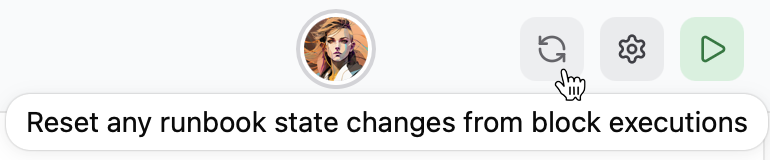
To reset this persisted information, click the refresh button in the top-right of the runbook header:
Reproducable
The new engine establishes a clear and predictable flow of data through your runbook from top to bottom; each block in a runbook can only influence blocks below it. For example, you can set a template variable, and set it again below it without the original variable being affected. All variables from all blocks behave this way.
Improved Templating
Every input in any runbook now runs through our template system, meaning you can use variables anywhere you can specify text input to a runbook block. (If you find any input where this isn’t true, it’s a bug and we’d love to hear about it!) Since variables only affect blocks below them, this means a variable can refer to itself. You can use this feature to trim newlines off strings, transform variable names, and even do complex variable metaprogramming:
What’s Changed?
No Global Context
Since variables can only affect blocks below them, runbooks essentially no longer have any “global” state. If you depended on this behavior in any of your runbooks, you’ll need to adjust them.
Editor Variable Sync
Given that runbooks no longer have a global variable context, the “editor sync” toggle in the Editor block no longer makes sense. Instead, you can set the content of an editor block to the value of any existing variable using a new button in the Editor block header.
Use the button to the left of the "variable" input
to set the content of this input to that of any variable
available to the block.
No Standard Error in Output Variables
Script blocks no only include stdout output when setting the value of a template variable.
# echo to stdout
echo "This is stdout"
# echo to stderr
echo "This is stderr" >&2
# and stdout again
echo "This is stdout again"
What’s Next?
The new runbook execution engine paves the way for lots of new features, including a CLI runner, enhanced collaboration, secret management, and more. For all the juicy details, check out our announcement post.